

Compliance That Fits Microsoft Dynamics Business Central Users
How Italy e-Invoicing Flows Through Microsoft Dynamics 365 Business Central ERP Workflows
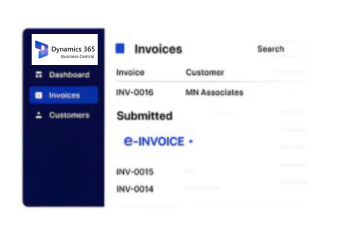
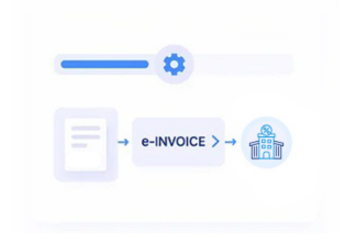
- Capturing the Transaction: The instant a sales invoice posts in Business Central, Advintek retrieves it for Italy tax processing immediately and automatically, without manual triggering.
- Checking SDI Requirements: The invoice is validated against SDI’s current numbering, formatting, and mandatory field rules before submission proceeds toward the exchange channel.
- Structuring the XML: Business Central invoice data is converted into the exact FatturaPA XML structure that the Agenzia delle Entrate mandates for compliant filing.
- Assigning the Invoice Number: A valid, sequential invoice number is applied automatically for the issuing company, preventing gaps or accidental duplicate number assignments online.
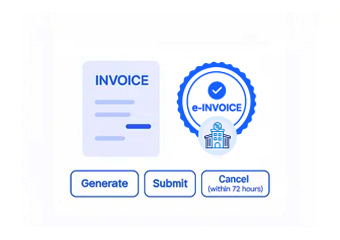
- Filing Through SDI: The invoice is submitted through the Sistema di Interscambio and tracked through to buyer confirmation or formal rejection notice quickly.
- Archiving by Transaction: Cleared invoices are stored and linked to their originating Business Central posting for easy retrieval during audits or statutory checks.
What Is Advintek's Italy e-Invoice Connector for Microsoft Dynamics 365 Business Central?
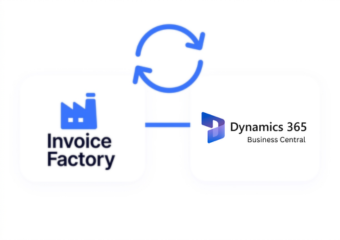
Companies running Business Central must file structured XML invoices through SDI for every posted document across companies. Advintek’s connector applies consistent FatturaPA formatting and numbering across Business Central invoices, keeping filings compliant, traceable, and visible without manual company-by-company tracking.
- Files transactions across companies and modules
- Applies AdE formatting across Business Central records
- Links invoices to their source posted entries
- Handles multiple Italy companies automatically
Why Microsoft Dynamics 365 Business Central Customers Rely on Advintek
- No Entity Confusion: Filing stays correct and traceable no matter how many Italy companies are configured inside a single Business Central tenant.
- Consistent Filing Across Documents: The same dependable FatturaPA standard applies whether Business Central is generating a standard invoice, a credit memo, or an adjustment document.
- Fewer Reconciliation Issues: Filed invoices tie directly back to specific Business Central postings automatically, cutting the manual matching accountants previously handled by hand.
- Scales With Business Activity: Growing transaction counts across companies or locations don’t create a filing backlog or extra manual reconciliation work during busy quarters.
- Real-Time Status Visibility:Live filing status makes tracking SDI compliance across multiple companies and document types genuinely straightforward for accountants and auditors.
- Fewer Rejected Filings: Correct structure from the first submission cuts down sharply on SDI bounce-backs, rejection notices, and resubmission cycles for small finance teams.
Complete Control Over Italy E-Invoicing Workflows in One Platform
Transaction-Level Error Detection
Issues are flagged by Business Central posting and company, with guided fixes that preserve ongoing invoicing activity without delaying month-end close.
Unified Filing Dashboard
Track FatturaPA status across Business Central companies and document types from one dashboard, with real-time filing updates staff can trust.
Ongoing Compliance Support
Advintek keeps the Business Central connector current as the Agenzia delle Entrate updates SDI schema, numbering rules, or formatting requirements.
Italy e-Invoicing Compliance for Microsoft Dynamics 365 Business Central Operations
Companies running Business Central need reliable SDI compliance across every Italy company configured inside their tenant. Advintek’s connector applies consistent FatturaPA formatting, numbering, and filing across Business Central invoices, giving accountants one consolidated compliance view regardless of company count, document type, or posting frequency.
- Applies SDI rules across all companies
- Removes manual company-by-company tracking work
- Provides consolidated Business Central filing visibility
- Maintains accurate numbering across invoices
Connect Your Microsoft Dynamics 365 Business Central
Keep every Business Central invoice aligned with AdE's FatturaPA and SDI rules from a single consolidated view.
Running other Dynamics 365 modules alongside Business Central? Advintek supports flexible Italy e-invoicing integrations across the full Dynamics 365 suite.
Ready e-Invoice System
Frequently Asked Questions Microsoft Dynamics 365 Business Central e-Invoicing Italy
Does Business Central handle AdE's e-invoicing requirements on its own?
No, Business Central has no built-in connection to the Sistema di Interscambio, so a connector like Advintek is needed to file invoices correctly, consistently, and without manual export.
Does the integration work across different Business Central document types, not just standard invoices?
Yes, Advintek applies the same AdE-compliant filing process to standard invoices, credit memos, and adjustment documents generated anywhere inside Business Central.
What does the Business Central e-invoicing integration involve for our accounting team?
It pulls posted invoice data straight from Business Central and routes it through Advintek for FatturaPA formatting, correct numbering, and SDI submission automatically each period.
We run several Italy companies inside one Business Central tenant — does filing stay organized?
Yes, every filed invoice retains a clear link to its specific company and posting, so multi-company activity never becomes difficult to track or reconcile.
Can filing keep up if our Business Central transaction volume grows significantly as we scale?
Yes, Advintek is built to scale with transaction volume, so increased Business Central activity across companies never creates a filing backlog or slows month-end close.